2023-05-11
The secret to doing Microsoft exams for free!
I’ll be spilling the beans here, letting out the BIG secret…
Got your attention?
The secret is, there is no secret!

For fundamentals, you can go to Microsoft Learn - Virtual training days and sign up for a virtual session, after which you will get a voucher to take that particular exam for free!
Take note, the voucher will be valid for 90 days. [Read More…]
Nathalie - 10:19:30 @ Microsoft Exams | 1 comment
2023-04-12
Quick tip! Using QuickChart.IO with dynamic values (Canvas app edition)
(This is lengthy for a quick tip, whoops, scroll all the way down to quickly check the fix)
First of all, FULL credit goes to Pen Warner who graciously shared his QuickchartIO code with me that he used for his app. His app is awesome, check that out here.
He’s on Twitter here: @p3nf0ld
His Blog
I was trying to do dynamic data into a quickchart.IO code, which I learned how to do in Kristine’s video here
Go check her out as well, she’s awesome!
But, getting the chart in my canvas app, I couldn’t figure out how to add in values from variables or collections as the EncodeURL command uses plain text, and my values are not.
I reached out on Twitter, tagged Kristine, and Pen responded, and very graciously decided to offer me his code.
I’ve asked him if I could share, and he said yes, so here’s how to edit your Chart to add in variables, collections and more.
Add in Basic chart (courtesy of Kristine’s video):
* Go to QuickChart.IO
* Choose the chart you want
* In your Canvas app, add in an image. [Read More…]
Nathalie - 10:31:02 @ Power Apps, Canvas App | Add a comment
2023-04-07
Setting restrictive security on a Word Template while leaving sections open (Restrictive editing)
Another Word tip, oh my…
This explains how to set security on a Word document, restrict the editing, but allow forms to be filled out, and certain sections to be edited. For example, to add in attachments or images. [Read More…]
Nathalie - 12:10:47 @ Office365, Word | Add a comment
2023-04-05
Business Process Flow - How to automate moving through different stages
How to move stages automatically (BPF) using Power Automate (no http calls needed)
Quick summary: You need to grab data from 3 different tables, link them using lookup columns, capture ID’s, and add in conditions and use Data operations to shape the data into usable steps. Then add in a switch depending on your stage names, and add final actions updating your BPF table. [Read More…]
Nathalie - 16:55:13 @ Power Automate, Dataverse | Add a comment
2023-04-04
How to repeat words in Microsoft Word (XML Mappings)
I know I usually only do Power Platform, but Microsoft Word is bound to be in your project needs someday, or combining with Power Automate, so I figured why not?
Ever had the request to have certain words repeated, lets say in a header or footer. [Read More…]
Nathalie - 12:35:32 @ Office365, Word | Add a comment
2023-03-29
Another quick tip! Removing blank items in a compose
This is a followup post for my earlier blog, Combine data from multiple apply to each into a single output file (Variables and compose)
Cat Sneider helped me tremendously on this one, full credit to her! Find her blog here

Following these steps, results in some empty values also being added. [Read More…]
Nathalie - 12:25:10 @ Power Automate, Variables | Add a comment
2023-03-16
Quick tip! Unmanaged layers - updates not moving through environments (ALM)
I had this issue today and figured I’d write a quick tip for it.
I’ve changed my app, modified flows, everything works fine in Dev, publish customizations, export as managed and move to Test. [Read More…]
Nathalie - 16:49:26 @ Power Apps, Power Automate | Add a comment
2023-03-07
How to get submitted values from your Choices/optionset column in Dataverse
Ever noticed that when you select your columnname, in the dynamic data, it doesnt give you the result and it stays blank? I’d like to explain how you can get the value for your dropdown. [Read More…]
Nathalie - 11:39:00 @ Power Automate, Dataverse | Add a comment
2023-02-28
How to do Microsoft exams?
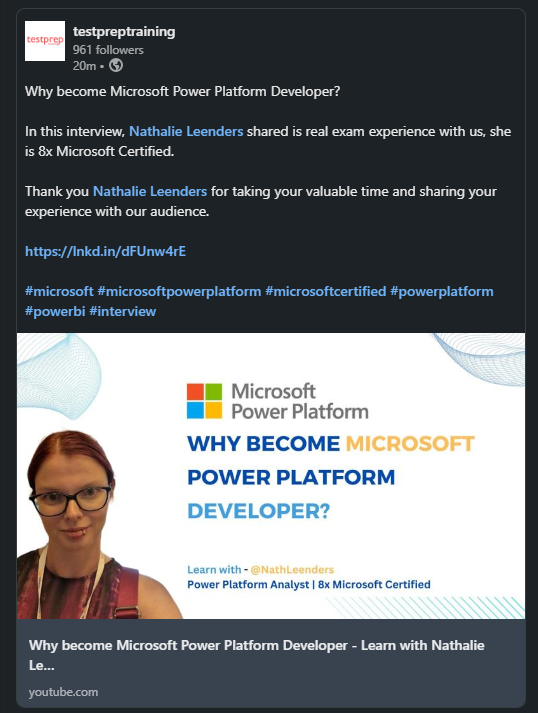
Check out this video that I did for testpreptraining.com, on how to become a Power Platform Analyst, some tips and how to prepare for a Microsoft exam.
Why become Microsoft Power Platform Developer - Learn with Nathalie Leenders
Nathalie - 11:12:20 @ Microsoft Exams | Add a comment
2023-02-15
Quick tip! Boolean in SQL
Are you looking for a boolean column in SQL? Or have a virtual table and need a toggle/checkbox in your app. [Read More…]
Nathalie - 14:42:16 @ Power Apps, Canvas App, Model Driven App, New functionality, Virtual Tables, Dataverse | Add a comment